


My day started typically, but then I remembered that a friend asked me if he could run an Android App on a PC to watch educational videos on a bigger screen. Still, the app has security features preventing that.
It’s easy; most apps can be patched and work just fine, and even integrity checks can be bypassed if they even existed.
Downloaded it (though apkcombo) and loaded it into jadx
I always start with static analysis to gather info and know how it works, and sometimes, it isn’t required to go into dynamic analysis. as in this app!
The first thing I noticed when I opened it was a native app. It made things easier. And up there are some endpoints related to an API. I will get into that later.
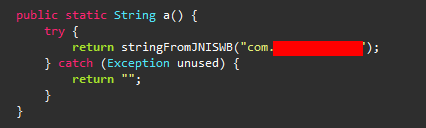
It loads native-lib, and declares stringFromJNISWB from that lib.
As you might have noticed, there’s an EncryptUtils class, so I will look into that later.
then searched by the term stringFrom and found a couple of them
stringFromJNIALGO stringFromJNISPEC stringFromJNIS stringFromJNIT1
and a few more
As it’s clear from the names, it gets strings from the JNI (native-lib)
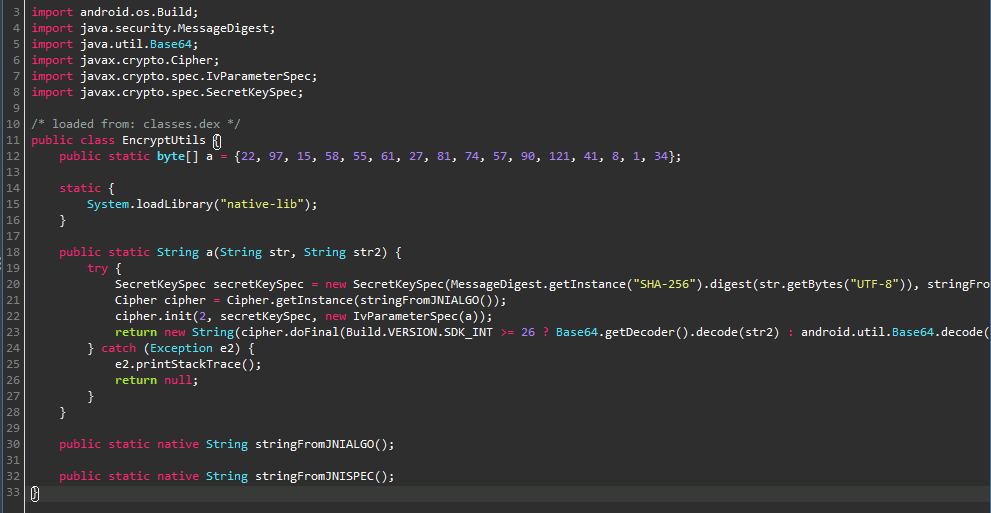
EncryptUtils Class
Looking through EncryptUtils reveals that stringFromJNISPEC is the Decryption Scheme, and stringFromJNIALGO is the Algorithm used.
I am using jadx to trace back to see where this function is being used.
public static String l(SettingDTO settingDTO) { return EncryptUtils.a(new XlmsUtils().stringFromJNIS(), settingDTO.getSettingvalue());}It’s used in the function with a return value of our EncryptUtils and passed stringFromJNIS as the first parameter, the Encryption Key!
The second parameter is the data needed for decryption.
Following that data reveals something pretty intriguing!
if (settingDTO.getSettingkey().contentEquals("VimeoToken")) { str = XlmsUtils.l(settingDTO); break;}VimeoToken? That could be a huge hit!
I examined where the settingsDTO gets its data from but could not find anything. I may need to look into it more, but I will leave it for now.
Let’s take a glimpse into “native-lib”.
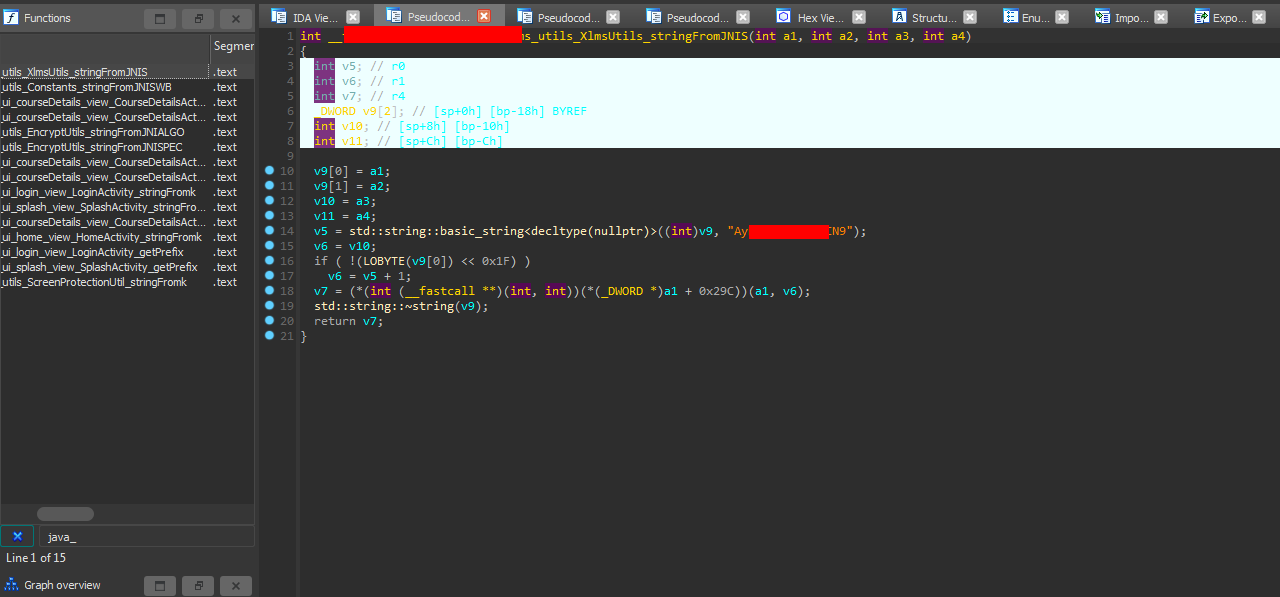
Loading it through IDA reveals that it’s just a function that returns a string, simple enough!
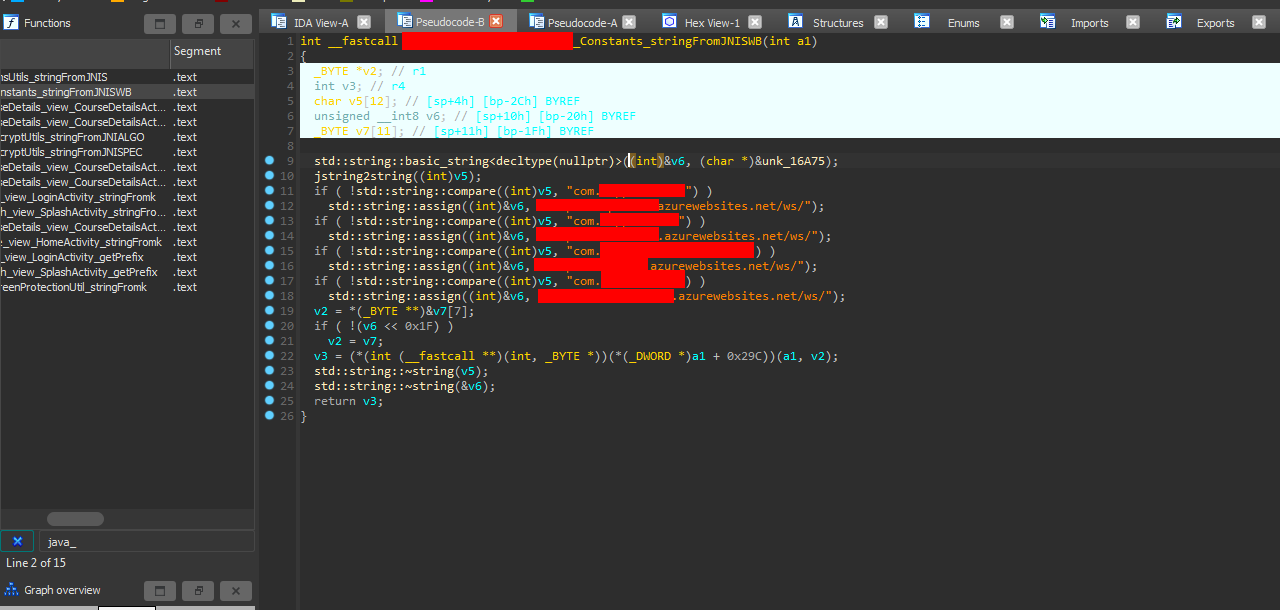
And looking into stringFromJNISWB, I found something rather interesting.
It has if statements with string compare if “value” (passed as a parameter) is equal to a specific package ID, then it returns a URL.
Pretty weird and damn lazy, he just created a single file (native-lib), used the same for every app he made, and exposed all his APIs, and we’ll get why that was a terrible idea!
So summing up
stringFromJNIS = “AyXXXXXXXXXXXCN9” *stringFromJNIALGO = “AES/CFB8/NOPADDING” stringFromJNISPEC = “AES”
Now we have everything to decrypt that AES. But still, there’s no data to decrypt.
So now, let’s look into these APIs.
First. It’s the main one that is associated with our target’s package’s id
Let’s call it https://main.azurewebsites.net.
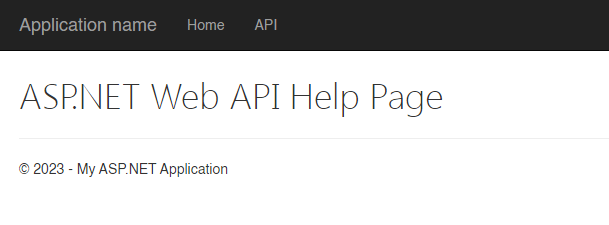
Hmm, the help page is empty. I might try to fuzz it, but I will look into the other’s first.
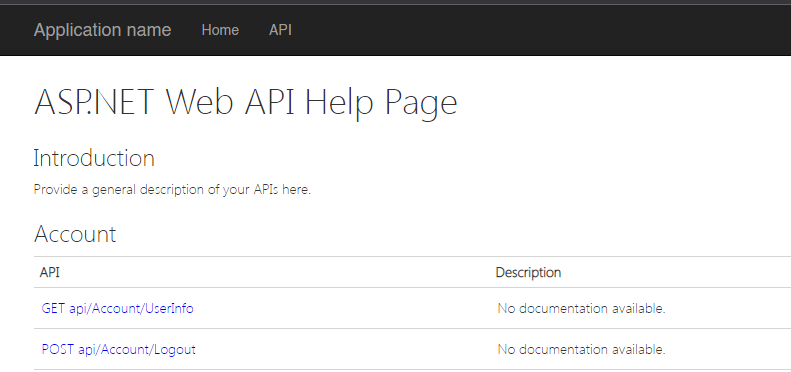
Ahah! The second has some data, and it’s vast, with about 150 endpoints!
Well, it’s more straightforward than fuzzing and has documentation. :)
hope it’s secure. “Of course, it’s not.”
Looking into every single endpoint, I found a pretty interesting one called MetaData!
It has a JSON object with promising data.
It’s an endpoint that returns metadata about the app, and it has a lot of Tokens and sensitive info which I needed to censor. And it has our VimeoToken and password for the videos, both encrypted, but we have the key :)
That was from the second link. Looking into the first, it returns similar values, but this time with plaintext and encrypted VimeoToken! Checking the Token using Vimeo API reveals it’s not working, but I will test the others.
Ok! The third is working just fine, with 2350 Videos! And the fourth API is dead.
So with that, we need to decrypt the Token easily enough!
public static byte[] a = {22, 97, 15, 58, 55, 61, 27, 81, 74, 57, 90, 121, 41, 8, 1, 34};SecretKeySpec secretKeySpec = new SecretKeySpec(MessageDigest.getInstance("SHA-256").digest(str.getBytes("UTF-8")), stringFromJNISPEC());Cipher cipher = Cipher.getInstance(stringFromJNIALGO());cipher.init(2, secretKeySpec, new IvParameterSpec(a));return new String(cipher.doFinal(Build.VERSION.SDK_INT >= 26 ? Base64.getDecoder().decode(str2) : android.util.Base64.decode(str2, 0)));With cleaning and renaming.
public static byte[] IV = {22, 97, 15, 58, 55, 61, 27, 81, 74, 57, 90, 121, 41, 8, 1, 34};SecretKeySpec secretKeySpec = new SecretKeySpec(MessageDigest.getInstance("SHA-256").digest("AyXXXXXXXXXXXCN9".getBytes("UTF-8")), "AES");Cipher cipher = Cipher.getInstance("AES/CFB8/NOPADDING");cipher.init(2, secretKeySpec, new IvParameterSpec(IV));return new String(cipher.doFinal(Base64.getDecoder().decode(VimeoToken)));Much better, it converts the key into bytes, gets its SHA-256 digest “hash, ” and decrypts it.
Creating the same logic in Python.
import base64import hashlibfrom Crypto.Cipher import AES
str = "AyXXXXXXXXXXXCN9"str2 = "ZDR0XXXXXXXXXXXXXXXXXXXXXXXXXXXXXX+OLw="a = bytes([22, 97, 15, 58, 55, 61, 27, 81, 74, 57, 90, 121, 41, 8, 1, 34])
secretKeySpec = AES.new(hashlib.sha256(str.encode('utf-8')).digest(), AES.MODE_CFB, iv=a)decrypted = secretKeySpec.decrypt(base64.b64decode(str2)).decode('utf-8')print(decrypted)And we got the other Token!
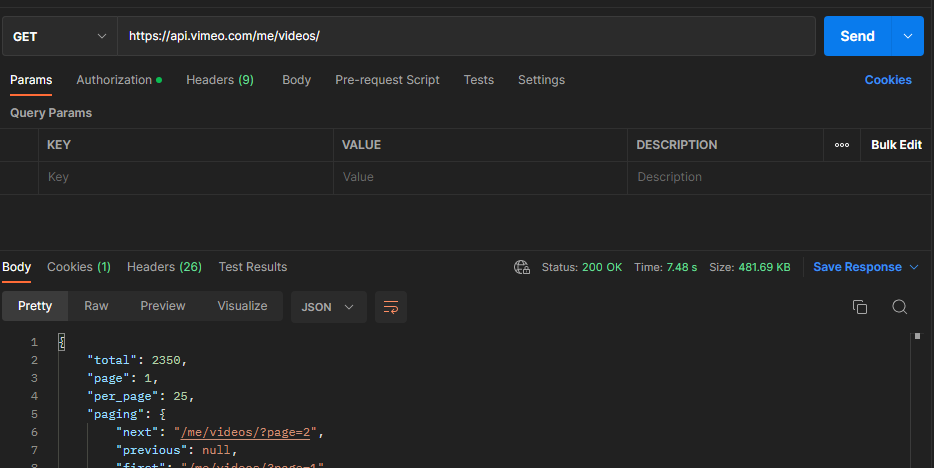
With 2394 videos, in total, we have access to 4744 videos!
If this article helped you, please share it with others!
Some information may be outdated